 GRO Analyst
Your Tally business, in your pocket.
See customers, stock and outstanding in real time. Take sales orders in the field — even with no internet. Everything syncs with TallyPrime automatically.
GET IT ONGoogle Play GET IT FROMMicrosoft Store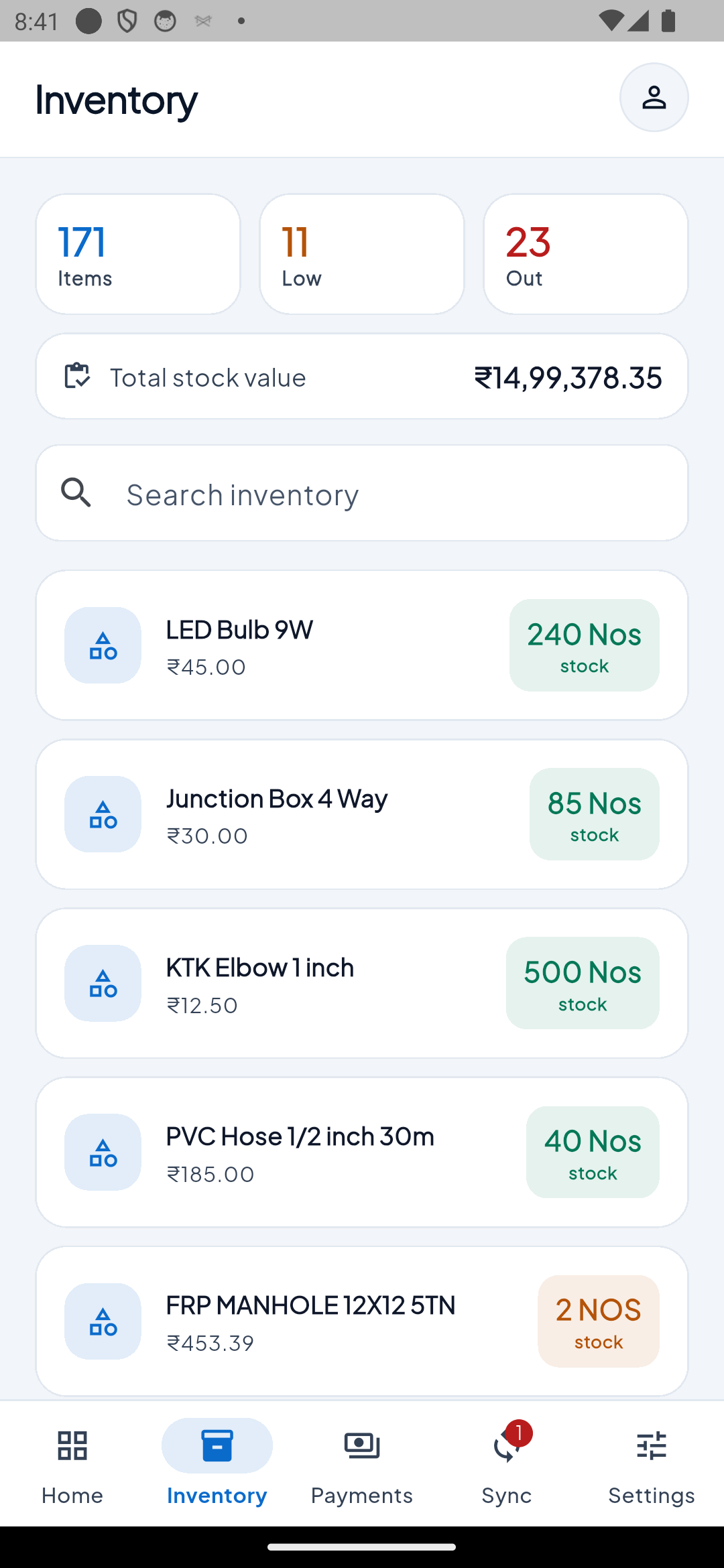
Stop calling the office
for every answer
Your books live in Tally on one PC. Your team works everywhere else.
😩 Without GRO Analyst
- Calling the office to check stock or balances
- Orders on paper, typed in later
- Mistakes, delays and lost orders
- Owner is blind when away from the shop
🚀 With GRO Analyst
- Live customers, stock and outstanding on the phone
- Orders created on the spot, even offline
- Posts into Tally automatically
- Owner sees everything from anywhere
Everything your team needs
in the field
Automatic two-way sync with Tally
Tally data flows to every phone, and orders from the field flow back into Tally. No exports, no re-typing, no "sync" button to remember.
Works offline
No signal? Keep creating orders. They send themselves when you're back online.
Customers & outstanding
See balances and pending bills for every party before you walk in.
Live inventory
Stock levels by item and godown, straight from Tally.
GST invoices & receipts
Share a professional tax-invoice PDF or print on a Bluetooth printer.
Reports on the go
Sales, receivables, ledgers and more for owners and accountants.
Roles for your team
Admin, Manager, Salesperson, Accountant, Purchase Manager — each sees only what they should.
Field visits with GPS
Check in and out at customers and attach photos as proof.
Windows desk client
Owners and accountants can work from a PC too — same data, same login.
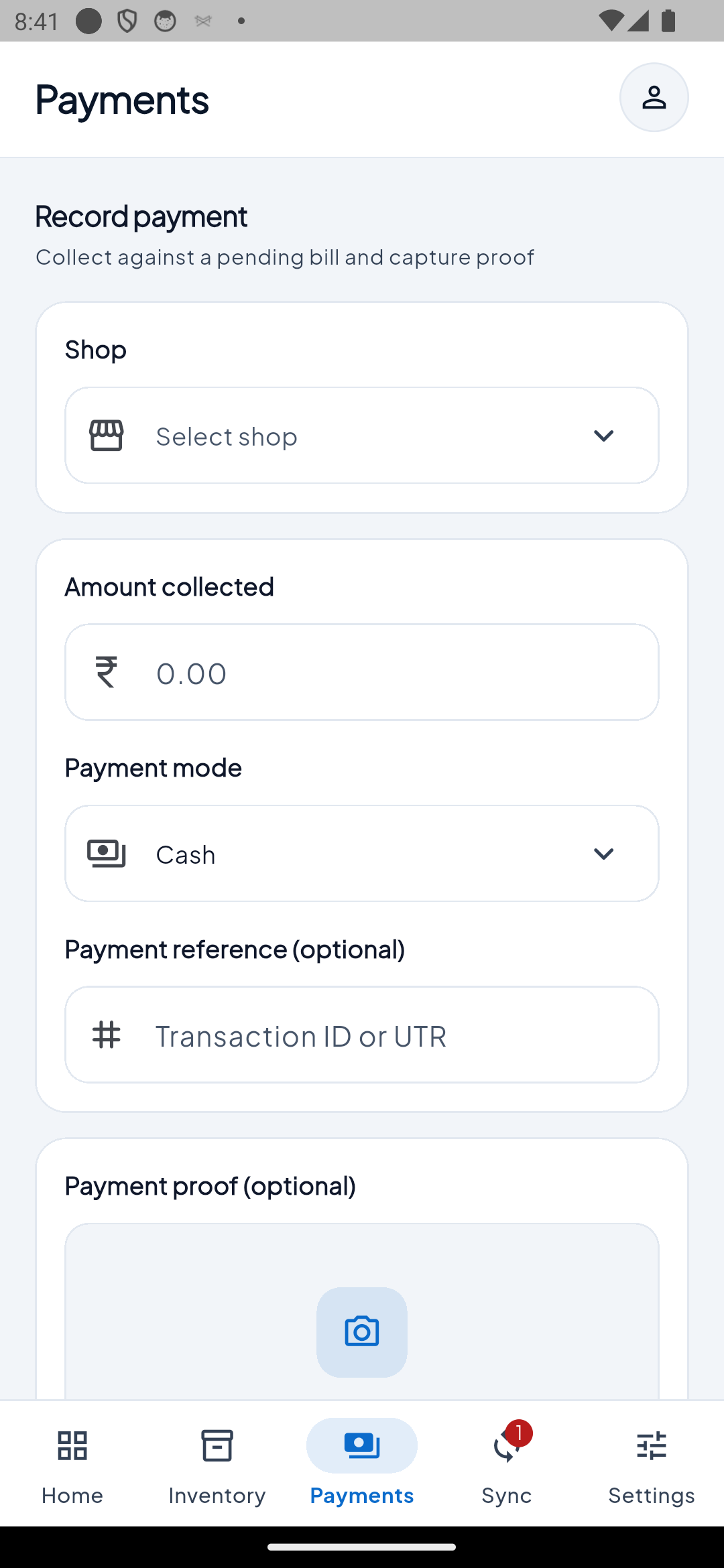
Record payments on the spot
Your salesperson collects against a pending bill, snaps a photo as proof, and it lands in Tally — no calls, no paperwork.
- Collect against any pending bill
- Cash, UPI, cheque — with reference number
- Attach a payment-proof photo
- Posts into Tally automatically
Up and running in 3 steps
Install on your Tally PC
Run the small GRO Analyst desktop app on the computer where TallyPrime lives.
Sign in & pick your company
Link your shop and choose the Tally company. Your data starts syncing.
Open the app anywhere
Your team signs in on their phones. Any internet connection works.
Tally stays your book of record
The phone never touches Tally directly. Only your office PC does.
Your shop, isolated
Each business's data is separated and enforced on the server.
Role-based permissions
Access rules are enforced server-side, not just hidden in the app.
No duplicate vouchers
Every order has a unique ID, so retries never double-post in Tally.
Try free, then one simple plan
Start with a free 7-day trial. Then pay per shop — not per user.
Free Trial
- Full access to every feature
- Automatic two-way Tally sync
- Customers, inventory, invoices & reports
- Offline sales orders and GST invoices
- Trial starts at your first sync
Set up in about 15 minutes.
Shop Plan
- 5 mobile + 5 Windows devices included
- Unlimited customers, items and invoices
- Automatic two-way Tally sync
- All roles, reports and GST invoices
- Extra devices: ₹40/month each
Billed monthly. Extra device ₹40/month.
Questions, answered
Do I need to be on the same network as Tally?
No. Only the office PC needs to reach Tally. Phones work on any internet connection.
What if there's no internet in the field?
You can keep working. Orders are saved on the phone and sent automatically when you're back online.
Will it change my data in Tally?
Only orders and receipts your team creates are posted into Tally, by the desktop app on your office PC. Your existing data is not overwritten.
How many devices can we use?
Each plan includes 5 mobile and 5 Windows devices. Add more anytime for ₹40/month or ₹449/year each.
How does the free trial work?
The 7-day trial starts when your shop first syncs. After that, choose monthly or yearly and pay online.
Does my Tally PC need to stay on?
Yes — sync runs on the office PC with Tally open, so data stays current on the phones.
Ready to take Tally
wherever you go?
Start your 7-day free trial and see your business on your phone today.